Telling Photoshop what to do: Firefly AI Assistant
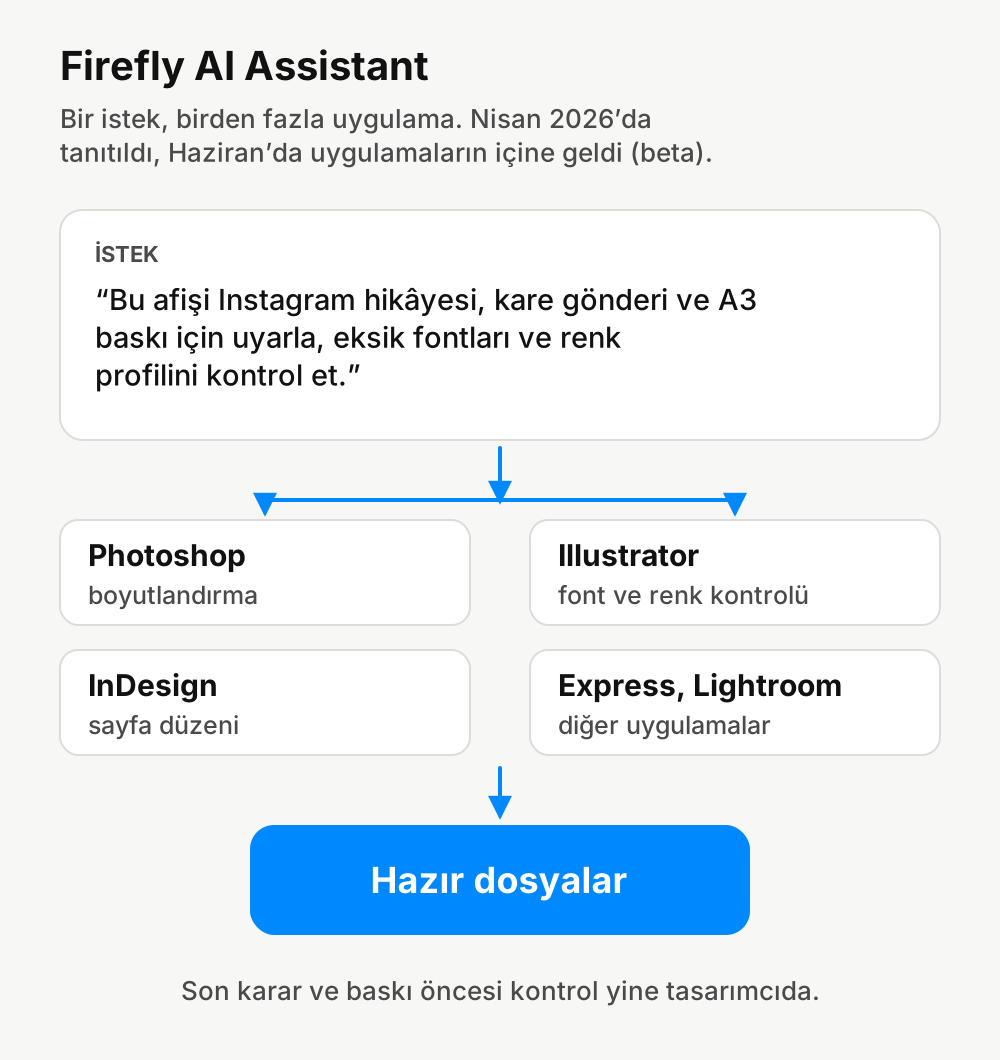
Firefly AI Assistant, which Adobe introduced in April, came inside Photoshop, Illustrator and InDesign in June. You can now get work done across several apps with a single request. The part that will help me on the print side is file checking.
 Zafer YılmazGraphic & Web Designer

Adobe introduced Firefly AI Assistant on April 15, 2026, and opened it as a public beta in the Firefly web app on April 27. Then on June 18, each app's own assistant arrived in beta inside Photoshop, Illustrator, InDesign, Premiere and Frame.io.
The idea is simple: you type what you want, and the assistant plans on its own which app to use and which steps to take.
What's in it for graphic designers?
According to Adobe, the assistant in Photoshop can handle jobs like replacing the background, resizing the canvas to social media sizes and tidying up messy layers, just by talking to it.
The Illustrator side is more interesting to me. The Illustrator assistant can flag missing fonts and color profile errors, and it can automate repetitive layout work. Having an assistant catch some of the checks I do before sending files to the printer could really save time.
The September update
Firefly's September 2026 update also has a few small but useful things: removing backgrounds in videos without masking frame by frame, ten aspect ratios instead of three for image generation, and the ability to write longer prompts.
Ten aspect ratios may look like a small detail, but it matters for someone who constantly switches between posters, stories, banners and square posts. Before, we had to generate a square image and crop it afterwards.
Things I keep an eye on
I won't send a file to the printer without seeing what an assistant actually did when you tell it to "prepare the file for print." I still do the final check myself on things like color profile, bleed and trim margin. But leaving repetitive resizing and tidying to an assistant means I have more time for that check.
Then there's licensing. For images that will be used in commercial work, you need to check which model was used and its terms of use. Since Firefly now lets you choose models from other companies besides Adobe's own, this matters even more.
Source: The Adobe blog and the "What's new in Adobe Firefly - September 2026" announcement on the Adobe community page.
Comments
No comments yet. Be the first to write one.