From rough sketch to image in ChatGPT: what is Sketch good for?
OpenAI released ChatGPT Images 2.5 on September 8. The most striking new feature is Sketch: it uses whatever you roughly draw in the chat as a reference for the image. As a designer, where I think it will help me most is the early idea stage with clients.
 Zafer YılmazGraphic & Web Designer
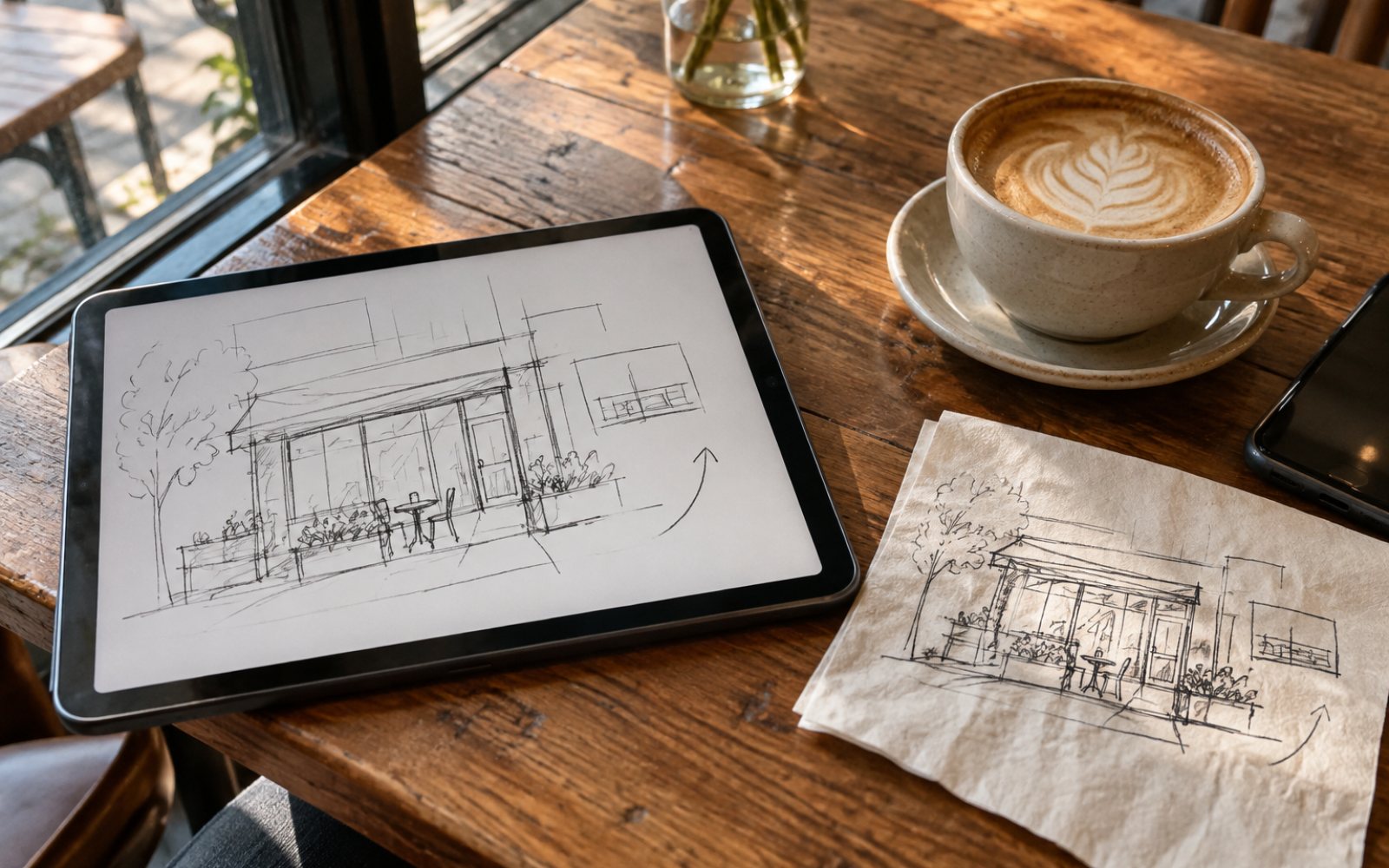
OpenAI released ChatGPT Images 2.5 on September 8, 2026. According to the announcement, image generation time is up to 50 percent shorter than the previous version. But what caught my attention wasn't the speed, it was a new tool called Sketch.
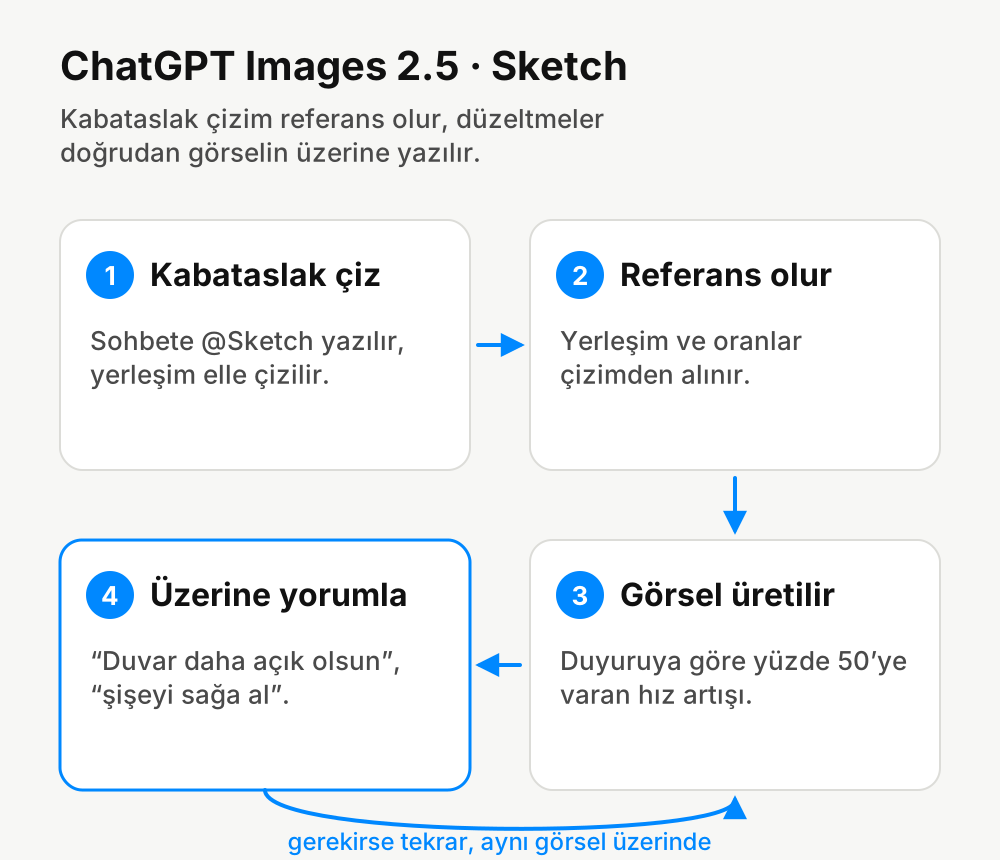
When you type @Sketch in the chat, a small drawing area opens. You roughly draw a layout there, and ChatGPT uses that drawing as a reference for the image it creates. Alongside it came ready-made templates for formats like posters and products, and the ability to request fixes by leaving comments directly on the image. The update is rolling out to all users, including free ones, on desktop, mobile and web.
Drawing instead of writing
The hardest part of generating images used to be describing the layout in your head with words. You'd write long sentences like "product on the left, a bit lower, a window in the back, light from the right" and still end up with something else. Designers already think in sketches. A box, a line and an arrow are often clearer than a paragraph.
That's why Sketch makes sense to me. It becomes possible to draw my first paper sketch as it is and generate an image from it that shows the atmosphere.
Where would I use it in client presentations?
Let's say I'm thinking about a sign or a shop window design for a café. Before presenting three different directions to the client, it helps to prepare quick mood images showing how each direction would look in the space. These aren't final designs, they're only for discussing the question "this vibe or that vibe?"
The feature for requesting fixes by commenting on the image is handy at this stage too. Writing notes like "make the wall lighter" or "move the bottle to the right" right where they apply is faster than explaining everything from the start each time.
Where wouldn't I use it?
I don't have AI produce the logo itself, the corporate typeface or the final file that goes to print. Text and small details in generated images still aren't reliable. I need to be able to explain why every curve of a logo is there. And if a generated image looks like someone else's work, using it in a commercial job can cause problems.
In short, Sketch speeds up the step after the sketch. Not the sketch itself.
Source: OpenAI's September 8, 2026 announcement of ChatGPT Images 2.5 and news coverage about it.
Comments
No comments yet. Be the first to write one.